- Dart 93.8%
- Nix 6.2%
| Filename | Latest commit message | Latest commit date |
|---|---|---|
| assets/screenshots | ||
| lib | ||
| test | ||
| .envrc | ||
| .gitignore | ||
| .metadata | ||
| analysis_options.yaml | ||
| CHANGELOG.md | ||
| flake.lock | ||
| flake.nix | ||
| LICENSE | ||
| pubspec.lock | ||
| pubspec.yaml | ||
| README.md | ||

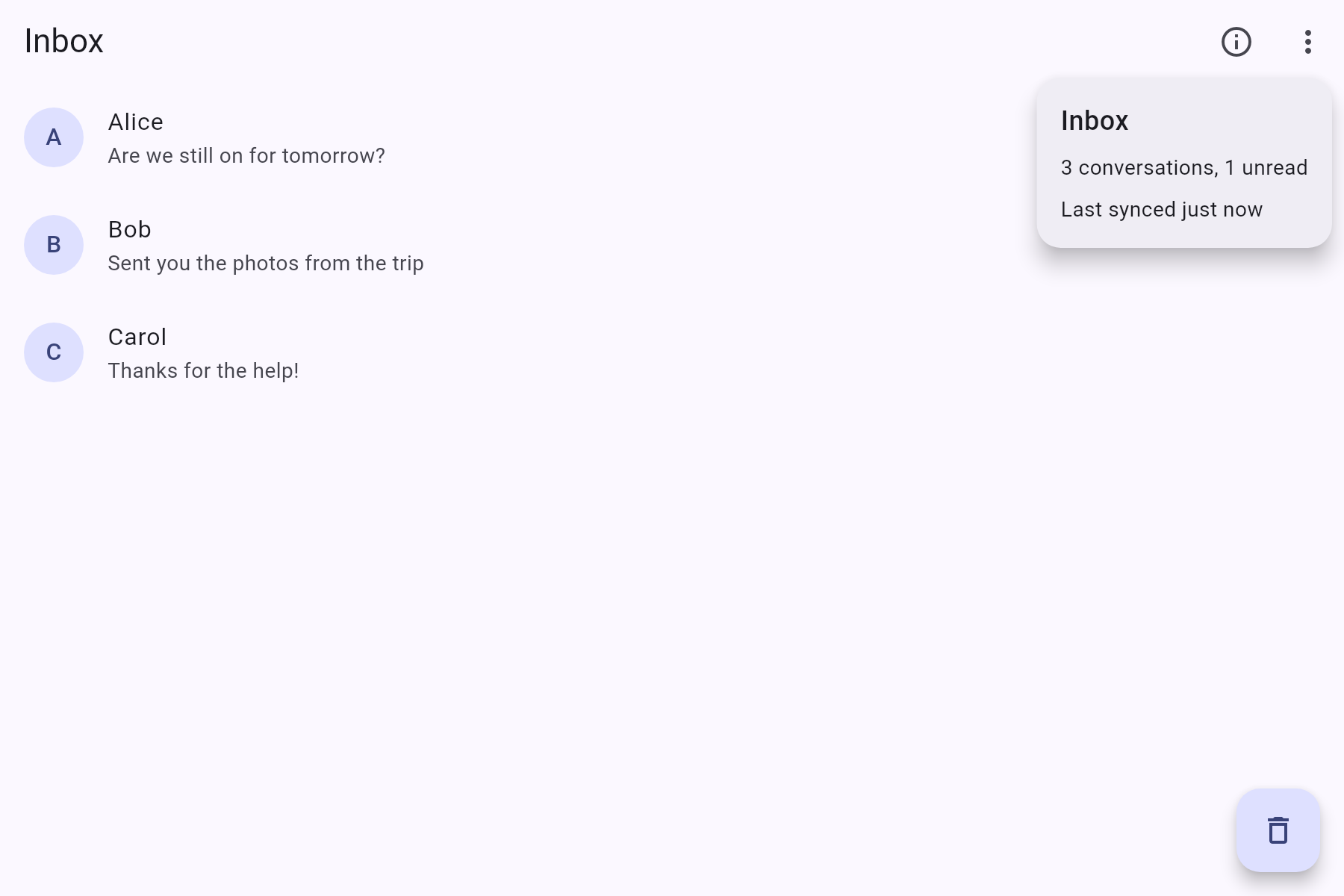
Material sheets, menus and popovers that adapt to the window size. On narrow windows they show as bottom sheets, and on wide windows as dialogs, popovers and popup menus.
Features
showAdaptiveSheet: a dialog on desktop, or a bottom sheet on mobileshowAdaptivePopover: a popover anchored to a widget or point on desktop, or a bottom sheet on mobileshowAdaptiveMenu: a popup menu on desktop, or a bottom sheet of the samePopupMenuEntrys on mobileAdaptiveMenuButton: likePopupMenuButton, but shows a bottom sheet on mobileSheetLayout: a title, scrollable content and actions, laid out for both sheets and dialogsAdaptiveBreakpoint: configure the width where the desktop layout starts
Screenshots
| Mobile | Desktop | |
|---|---|---|
| Sheet | 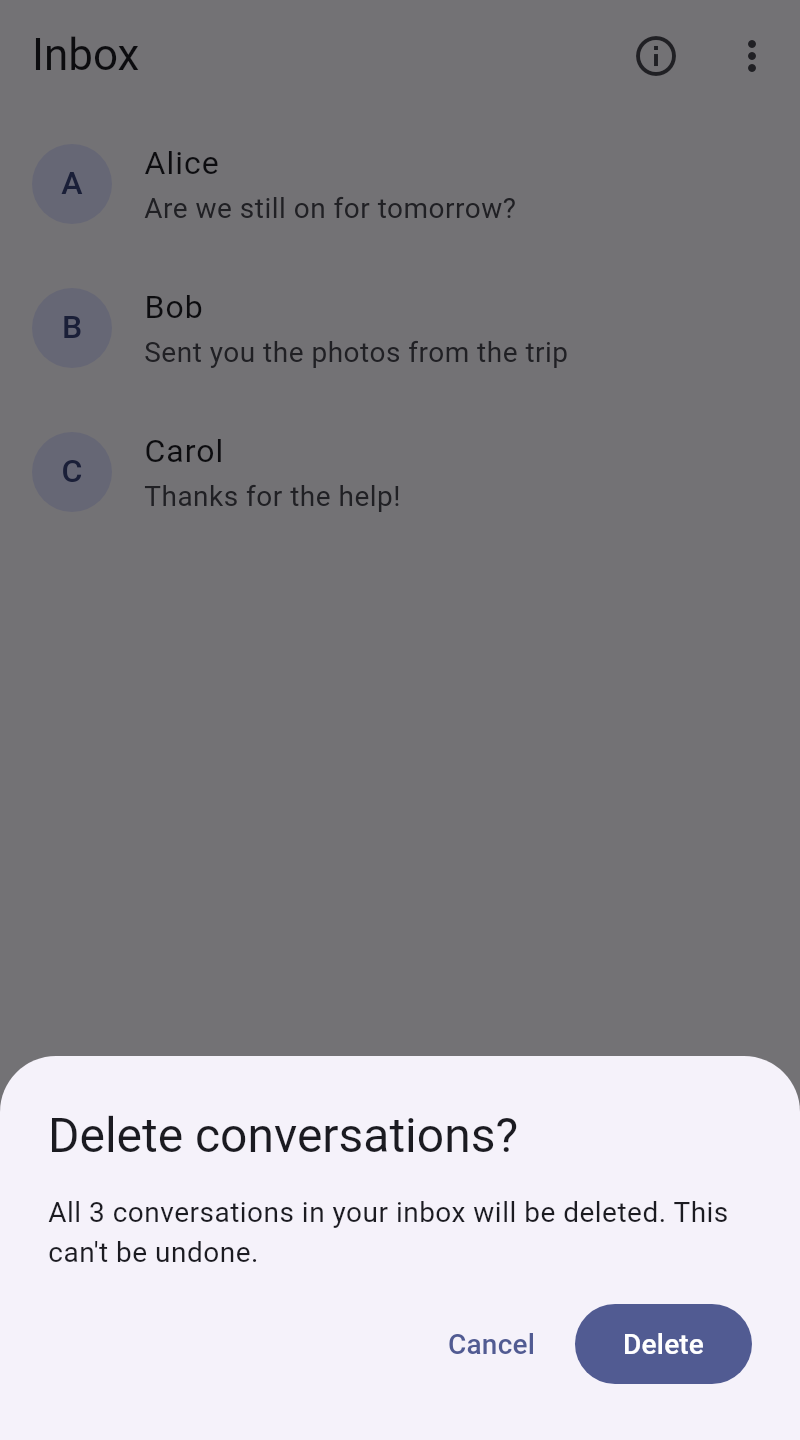 |
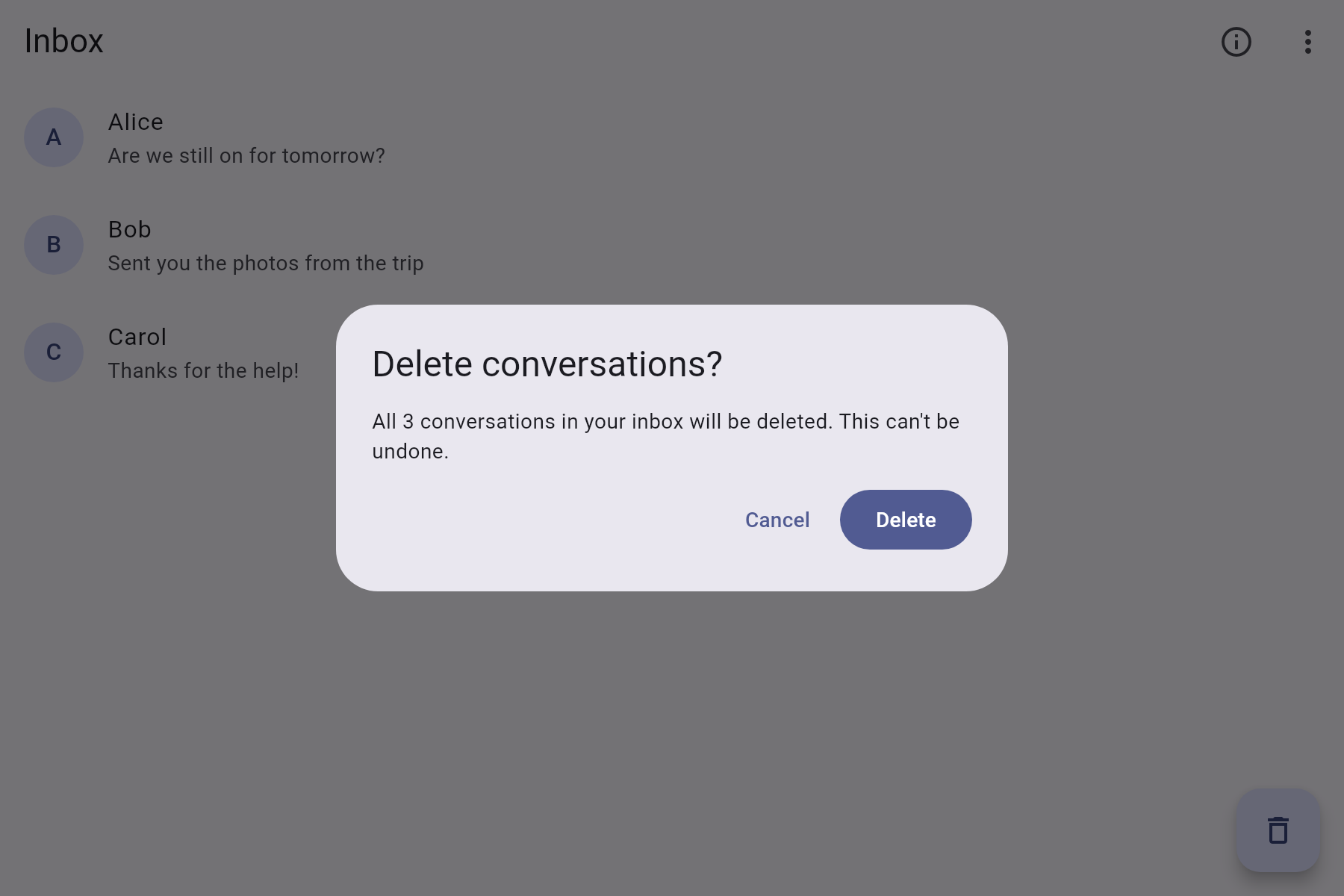 |
| Menu | 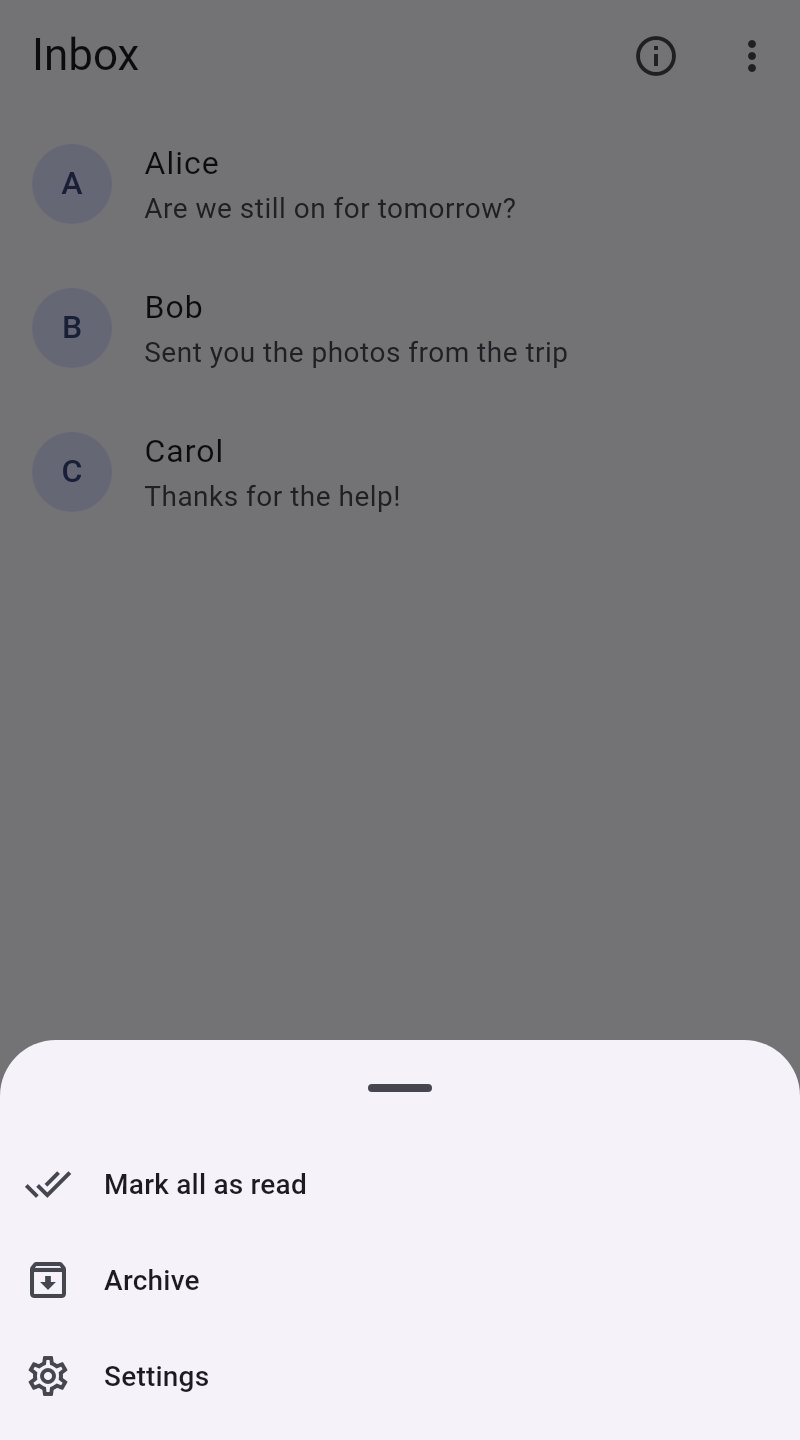 |
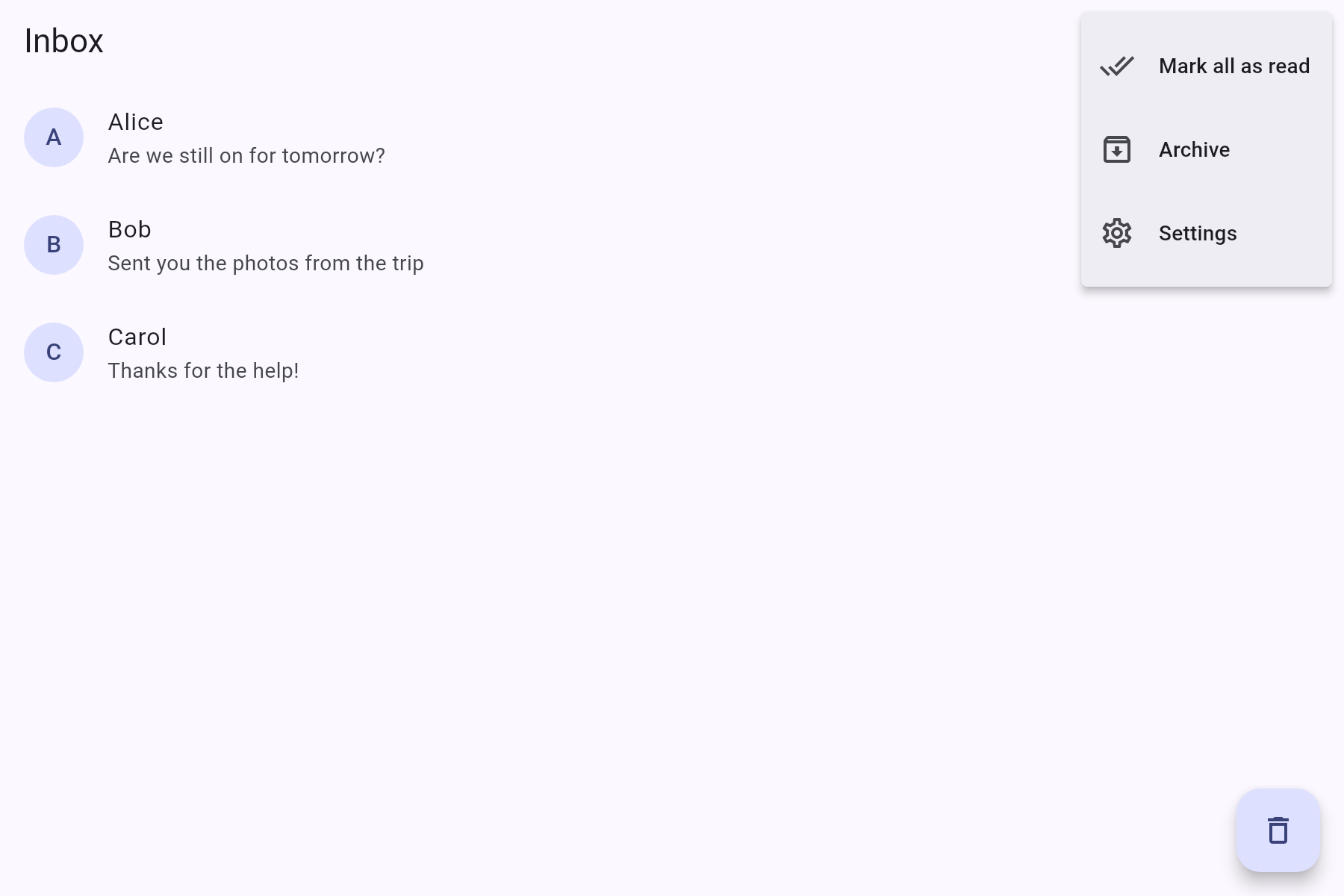 |
| Popover | 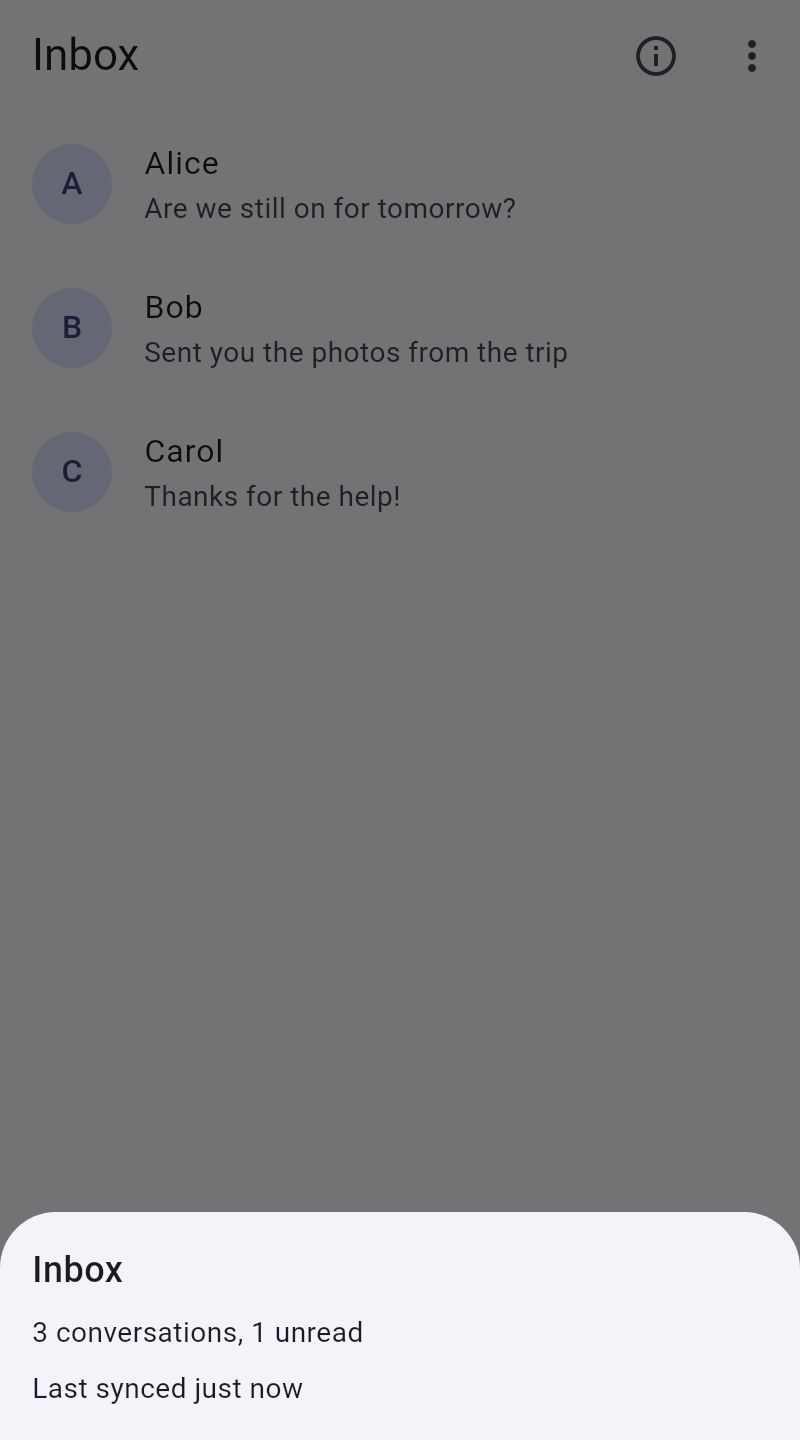 |
 |
Getting started
Add the package to your project with flutter pub add material_adaptive_sheets.
Usage
All of the show methods are extensions on BuildContext, and return the value the sheet was closed with.
Sheets
final confirmed = await context.showAdaptiveSheet<bool>(
  (context) => SheetLayout(
    title: const Text("Delete message?"),
    actions: [
      TextButton(
        onPressed: () => Navigator.of(context).pop(false),
        child: const Text("Cancel"),
      ),
      FilledButton(
        onPressed: () => Navigator.of(context).pop(true),
        child: const Text("Delete"),
      ),
    ],
    children: [const Text("This can't be undone.")],
  ),
);
Menus
AdaptiveMenuButton<String>(
  icon: const Icon(Icons.more_vert),
  itemBuilder: (context) => const [
    PopupMenuItem(value: "edit", child: Text("Edit")),
    PopupMenuItem(value: "delete", child: Text("Delete")),
  ],
  onSelected: (value) => print(value),
);
Or show a menu at a point, like where the user right clicked:
GestureDetector(
  onSecondaryTapUp: (details) => context.showAdaptiveMenu(
    items,
    globalPosition: details.globalPosition,
  ),
  child: child,
);
Popovers
IconButton(
  icon: const Icon(Icons.info),
  onPressed: () => context.showAdaptivePopover(
    (context) => const Padding(
      padding: EdgeInsets.all(16),
      child: Text("Some details"),
    ),
  ),
);
On desktop, the popover opens below the widget the context belongs to, or above it if there isn't room. Pass anchor to open it somewhere else, such as context.globalRectAt(details.globalPosition).
Breakpoint
By default, the desktop layout is used for windows wider than 650 logical pixels. To change this, wrap your app in an AdaptiveBreakpoint:
AdaptiveBreakpoint(
  width: 800,
  child: MaterialApp(...),
);
context.isDesktop is also exported, so the rest of your layout can use the same breakpoint.