- Dart 88.7%
- C++ 5.3%
- CMake 3.3%
- Nix 1.3%
- Swift 0.6%
- Other 0.8%
| Filename | Latest commit message | Latest commit date |
|---|---|---|
| .github/workflows | ||
| .vscode | ||
| android | ||
| assets | ||
| gomuks@ad275f7613 | ||
| hook | ||
| ios | ||
| lib | ||
| linux | ||
| macos | ||
| scripts | ||
| windows | ||
| .envrc | ||
| .gitignore | ||
| .gitmodules | ||
| .metadata | ||
| analysis_options.yaml | ||
| build.yaml | ||
| DEVELOPMENT.md | ||
| devtools_options.yaml | ||
| flake.lock | ||
| flake.nix | ||
| LICENSE | ||
| pubspec.lock | ||
| pubspec.yaml | ||
| README.md | ||

Nexus Client
Description
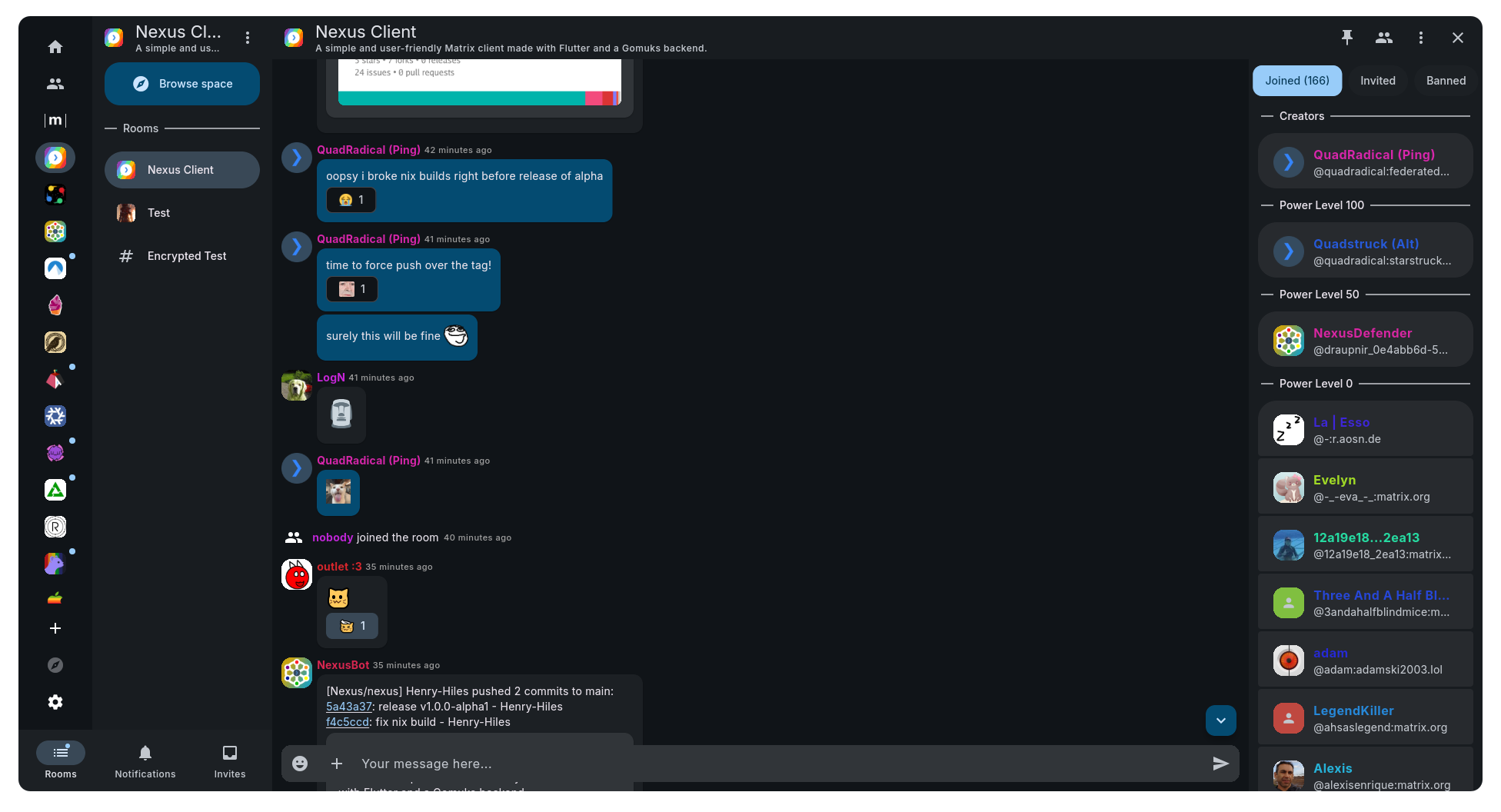
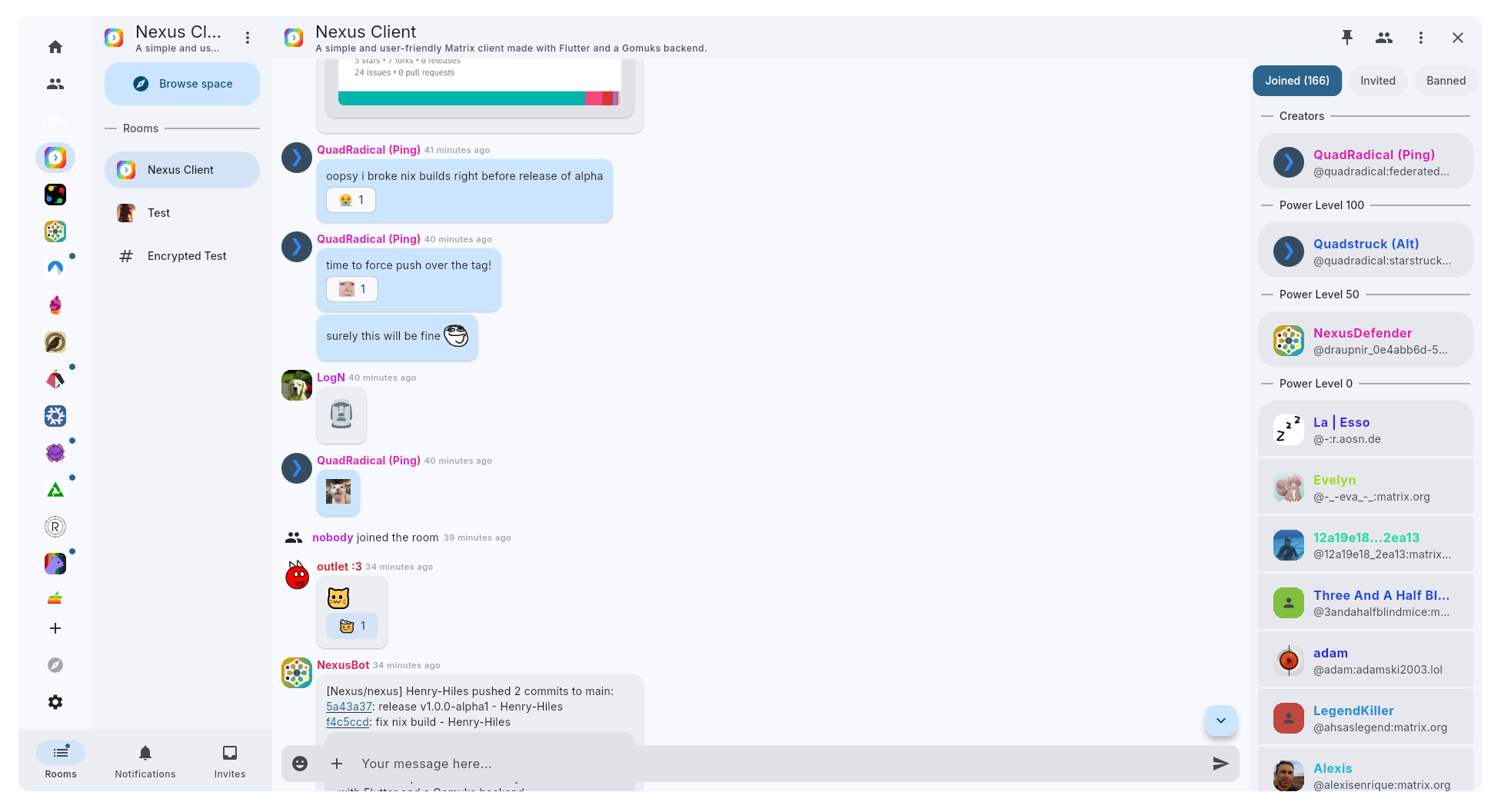
A simple and user-friendly Matrix client made with Flutter and a Gomuks backend.
Screenshots
| Dark Mode | Light Mode |
|---|---|
 |
 |
Try it out
If you want to try out Nexus, download the latest release.
Nightly Builds
For the newest changes, grab one of the following nightly artifacts, built by CI from the latest commit on main.
Or, use one of the below methods:
Nightly Flatpak Repo
Make sure Flatpak is set up on your system, then run:
flatpak install --user https://nexus.federated.nexus/flatpak/nexus.flatpakref
This adds the Nexus remote and installs the app for your user only, so no root access is needed (x86_64 and aarch64 are supported). To install system-wide instead, use --system in place of --user. Updates arrive through flatpak update or your software center.
NixOS Module
Add Nexus as a flake input, following nixpkgs for less fetches:
nexus = {
  url = "git+https://git.federated.nexus/Nexus/nexus";
  inputs.nixpkgs.follows = "nixpkgs";
};
This tracks the latest commit on main. To stay on a release instead, pin the input to its tag:
url = "git+https://git.federated.nexus/Nexus/nexus?ref=refs/tags/v1.0.0-alpha3";
Then import the module and enable it in your NixOS configuration:
{ inputs, ... }:
{
  imports = [ inputs.nexus.nixosModules.default ];

  programs.nexus = {
    enable = true;
    enableNotifications = true; # optional: push notifications via UnifiedPush
  };
}
This installs Nexus system-wide. With enableNotifications, it also installs KUnifiedPush and registers its systemd and D-Bus services so notifications work. The package option lets you override the package if you need to.
Build it yourself
Prerequisites
Linux
- On NixOS: Either use direnv and
direnv allow, ornix develop - On other distros: Install Flutter, Go, Git, Libclang, Libass, MPV, and Glibc. Do not use any Snap packages, they cause various compilation issues.
Windows
You will need:
- Flutter
- Git
- Libass
- MPV
- Go
- Visual Studio 2022 (Desktop development with C++)
- MSYS2/MinGW-w64 GCC (for CGO)
- LLVM/Clang + libclang (for
ffigen)
On Windows, make sure these are available in your shell PATH:
C:\msys64\ucrt64\bin(or your MinGW bin path containingx86_64-w64-mingw32-gcc.exe)C:\Program Files\LLVM\bin(containsclang.exeandlibclang.dll)
For dart scripts/generate.dart, you may also need:
$env:CPATH = "C:\msys64\ucrt64\include"
MacOS
Similar prerequisites apply (Flutter, Git, Go, C toolchain, LLVM/libclang), but exact setup has not been fully documented yet.
Clone repo
First, clone and open the repo:
git clone --recurse-submodules https://git.federated.nexus/Nexus/nexus
cd nexus
Set up Flutter
Get dependencies:
flutter pub get
Generate Gomuks bindings:
dart scripts/generate.dart
Note
If you are having issues with
stddef.hnot being found, try setting CPATH manually:export CPATH="$(clang -v 2>&1 | grep "Selected GCC installation" | rev | cut -d' ' -f1 | rev)/include"
Build webcrypto:
flutter pub run webcrypto:setup
Build generated files, and watch for new changes:
flutter pub run build_runner watch
Run the app:
flutter run
Development instructions can be found in DEVELOPMENT.md.
Community
Join the Nexus Client Matrix room for questions or help with developing or using Nexus Client.
Credits
Thank you Hylke Bons (https://planetpeanut.studio) for making the amazing icon for Nexus! Thank you Tulir Asokan for making Gomuks, and helping us integrate it into Nexus!