
11 KiB
CSS
-
Sass handwritten
-
nth-child pseudoclass
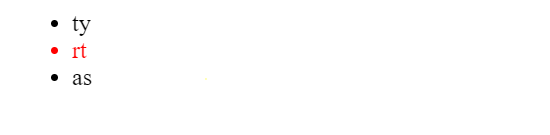
To select the list for specific number. For eg:
<ul >
  <li>ty</li>
  <li>rt</li>
  <li >as</li>
</ul>
ul li:nth-child(2){ color: red; }instead of 2, odd or even can be used too.
Output:
also formula can be used like
ul li:nth-child(4n+0){
  color: red;
}
all multiples of 4 is selected
-
Caution while using flex
When using flex layout, for eg to adjust div at center both horizontally and vertically. When we decrease height then upper portion gets out of screen too. To avoid this: set margin as auto for that div.
html, body, #root, .App { height: 100%; width: 100%; } .App { font-family: "Poppins", sans-serif; display: flex; align-items: center; justify-content: center; } .calcBox { margin: auto; display: grid; grid-template-columns: repeat(3, 1fr); width: 350px; grid-gap: 1rem; padding: 1rem; background-color: #696969; border: 2px solid black; border-radius: 2px; }<div className="App"> <div className="calcBox"> </div> </div> -
Some important snippets
minmax application:
/* Use of minmax */ .List { display: grid; grid-template-columns: minmax(100px, 1fr) minmax(200px, 3fr) minmax( 150px, 2fr ) minmax(100px, 1fr) minmax(100px, 1fr) minmax(200px, 3fr); }-
For inputButton properly implemented:
<div className="Playlist"> <div className="playlistInput"> <input className="inputLink" type="text" placeholder="Insert the url of youtube playlist" /> <button>Generate Link</button> </div> </div>:root { --deeppink: rgb(255, 0, 104); --deeppinkDark: rgb(230, 0, 94); } .Playlist { margin-top: 5rem; display: flex; justify-content: center; width: 100%; } .Playlist .playlistInput { width: 50%; min-width: 300px; border: 4px solid var(--deeppink); border-radius: 3px; overflow-y: hidden; /* padding: 0.5rem; */ } .playlistInput input { width: 80%; /* height: 100%; */ height: 2rem; border: none; outline: none; padding: 0; } .playlistInput button { width: 20%; height: 3rem; background-color: var(--deeppink); color: white; border: none; /* box-sizing: border-box; */ cursor: pointer; transition: all 0.1s ease-in-out; } .playlistInput button:hover { background-color: var(--deeppinkDark); } -
Spinner
import "./Spinner.css"; // use 'npm i react-loader-spinner@4.0.0 import Loader from "react-loader-spinner"; // expected props: // visible: boolean , // classes: string, // color: string, // text: string // https://mhnpd.github.io/react-loader-spinner/docs/category/components/ /* text : Radio,Audio,Ball Triangle,Bars,Blocks,Circles With Bar,Circles,Color Ring,Comment,Discuss, DNA,Falling Lines,Fidget Spinner,Grid,Hearts,Hourglass, Infinity Spin,LineWave,MagnifyingGlass,Mutating Dots,Oval,Progress Bar,Puff, RevolvingDot,Rings,Rotating Lines,Rotating Square, Rotating Triangles,Tail Spin,Three Circles,Three Dots,Triangle, Vortex , Watch*/ function Spinner(props) { const { visible, text, type } = props; let classes = props.classes || ""; const color = props.color || "#fff"; let color1 = props.color; // console.log("is spinner visible: ", visible); return ( <div className={`Spinner ${classes} ${visible ? "" : "none"}`}> <Loader type={type} color={color} height={50} width={50} timeout={0} //30 secs /> <span style={color1 ? { color: color } : {}} class="Loading_Text"> {text} </span> </div> ); } export default Spinner;.none { display: none; } .Spinner .Loading_Text { font-family: "Segoe UI", Tahoma, Geneva, Verdana, sans-serif; }other way
-
import "./Spinner.scss";

function Spinner(props) {
  const { visible, text, type } = props;
  let classes = props.classes || "";
  const color = props.color || "#fff";
  let color1 = props.color;
  //   console.log("is spinner visible: ", visible);
  return (
    // <div className={`Spinner ${classes} ${visible ? "" : "none"}`}>
    <div className={`spinnerStyle ${classes} ${visible ? "" : "none"}`}>
      <div className="spinner"></div>
      <span style={color1 ? { color: color } : {}} class="Loading_Text">
        {text}
      </span>
    </div>
  );
}

export default Spinner;
Spinner.scss
.none {
    display: none;
}

.spinner .Loading_Text {
    font-family: "Segoe UI", Tahoma, Geneva, Verdana, sans-serif;
}

.spinner {
    border: 8px solid #f3f3f3;
    border-top: 8px solid #000000;
    border-radius: 50%;
    width: 50px;
    height: 50px;
    animation: spin 1s linear infinite;
}

@keyframes spin {
    0% {
        transform: rotate(0deg);
    }
    100% {
        transform: rotate(360deg);
    }
}
.spinnerStyle {
    display: "flex";
    justify-content: "center";
    align-items: "center";
}
-
Creating pill shaped button
.proceed {
      margin-top: 1rem;
      color: white;
      background-color: black;
      border: none;
      border-radius: 9999px;
      padding: 1rem 0.5rem
}
set border radius as very long size
Output:

-
scroll to specific position with anchor tag
-
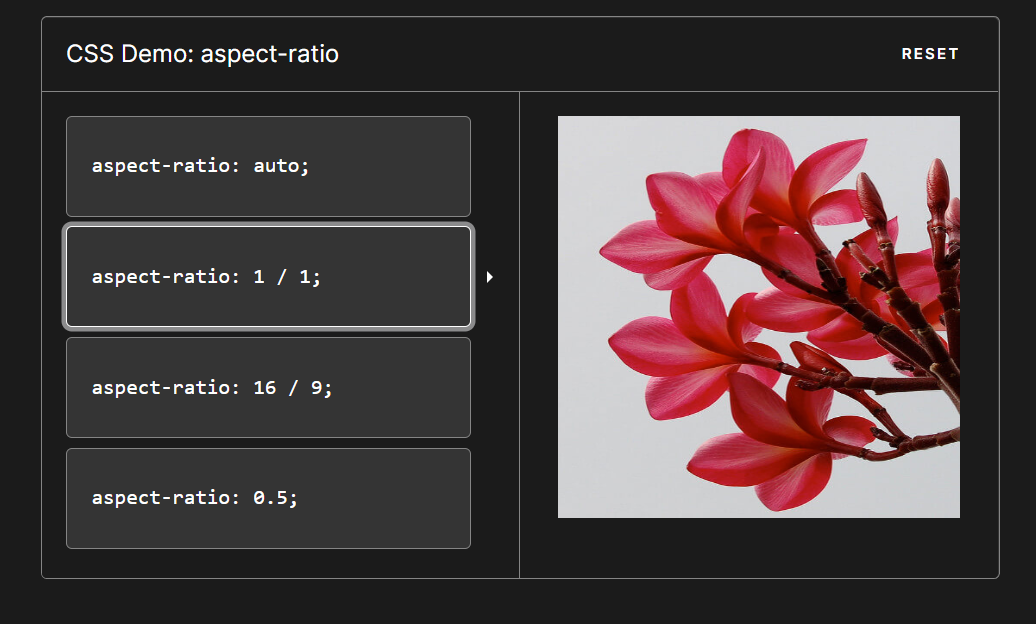
aspect-ratio
-
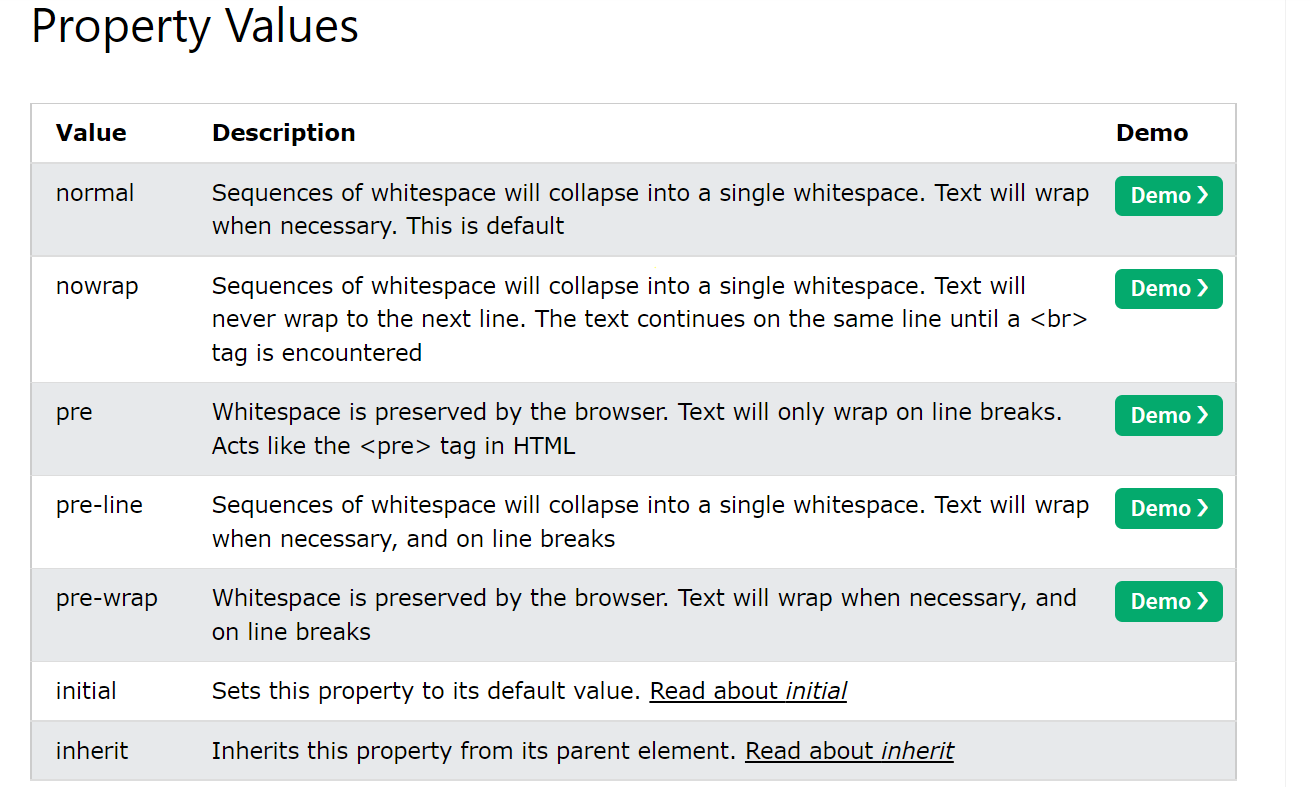
whitespace property
-
calc()
CSS only Approach (If height is known/fixed)
When you want the middle element to span across entire page vertically, you can use
[calc()](https://developer.mozilla.org/en-US/docs/Web/CSS/calc)which is introduced in CSS3.Assuming we have a fixed height
headerandfooterelements and we want thesectiontag to take entire available vertical height...Assumed markup and your CSS should be
html, body { height: 100%; } header { height: 100px; background: grey; } section { height: calc(100% - (100px + 150px)); /* Adding 100px of header and 150px of footer */ background: tomato; } footer { height: 150px; background-color: blue; }<header>100px</header> <section>Expand me for remaining space</section> <footer>150px</footer> -
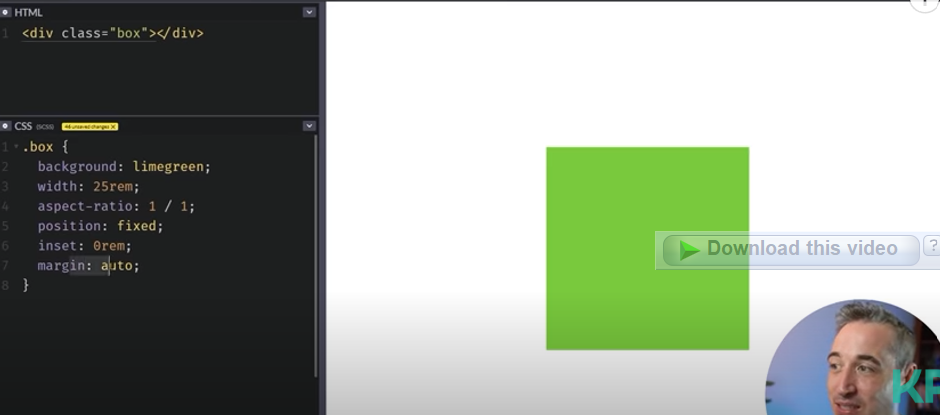
centralising div
Ref:
https://www.youtube.com/watch?v=HOM47v73yG8&list=PLBOEc6PNYgCQZl3gDUDtv034yz-kwWkFo&index=3&t=200s
https://www.youtube.com/watch?v=HOM47v73yG8&list=PLBOEc6PNYgCQZl3gDUDtv034yz-kwWkFo&index=3&t=200s
when using this method to centralize div, when we decrease screen height then div can go out of screen. To prevent this, use position absolute and
-
For setting dark theme
We need to invert all colors of the page.
<div style='background-color: white'>
  hello
</div
const css = `html { -webkit-filter: invert(100%); -moz-filter: invert(100%); -o-filter: invert(100%); -ms-filter: invert(100%); }` const head = document.head const style = document.createElement('style') style.type = 'text/css'; if (style.styleSheet) { style.styleSheet.cssText = css; } else { style.appendChild(document.createTextNode(css)); } head.appendChild(style);https://thewebdev.info/2021/08/14/how-to-invert-color-on-all-elements-of-a-page-with-javascript/#:~:text=Page with JavaScript-,To invert color on all elements of a page with,100%25)%20value%20with%20CSS.&text=Then%20we%20can%20invert%20all,%25)%3B%20%7D%60%20const%20head%20%3D%20document.
-
Custom input type=file
-
background image
body{ background-image: url("../images/back2.jpg"); /* Full height */ height: 100%; /* Center and scale the image nicely */ background-position: center; background-repeat: no-repeat; background-size: cover; background-attachment: fixed; margin-left: 0px; /*scroll-behavior: smooth !important;*/ /*margin-top: 0px;*/ } -
Useful properties
Reference: https://www.youtube.com/watch?v=srzsj3xtHMM
Clamp:
.container{
 min-width: 100px;
width: 50%;
max-width: 200px;
}
Above can be written as:
.container{
width: clamp(100px, 50%, 200px);
}
Scroll snap:
while scrolling the current element will be aligned to center
.container{
	overflow: scroll;
	scroll-snap-type: x mandatory;
}
.container .child{
	scroll-snap-align: center;
}
order: