
2.3 KiB
Connecting with PostgreSQL Database
-
Local important commands for exporting and importing
Exporting postgresql Database
We need to create a dump file. Here smart-brain is name of database
pg_dump -U postgres smart-brain > dump.sqlImporting postgresql Database
psql -U postgres smart-brain < dump.sqlFor using insert into instead of copy: https://stackoverflow.com/questions/2827072/sql-convert-backup-file-from-copy-format-to-insert-format
pg_dump --column-inserts -U <dbuser> <database> > dumpWithInserts.sqlfor railway cloud:
https://blog.railway.app/p/postgre-backup
The above may not work well in windows so we can use the pgadmin which is workbench. To create dump file use backup functionality with binary encoding. This dump file can be easily imported using restore functionality.
Some extra functionality like:
To get list of tables:
\dto get schema of table ‘users’:
\d users;
Importing dump file to heroku created by pgadmin
dump file to be imported to heroku must be publically accessible http url. Dropbox is recommended and remove letter ‘s’ from https(https→ http).
heroku pg: backups: restore ‘http://…..’
-
Configuration for postgreSQL in nodejs for production mode:
const knex = require("knex")({
  client: "pg",
  connection: {
    // host: "127.0.0.1",
    connectionString: process.env.DATABASE_URL,
    ssl: { rejectUnauthorized: false },


  },
});
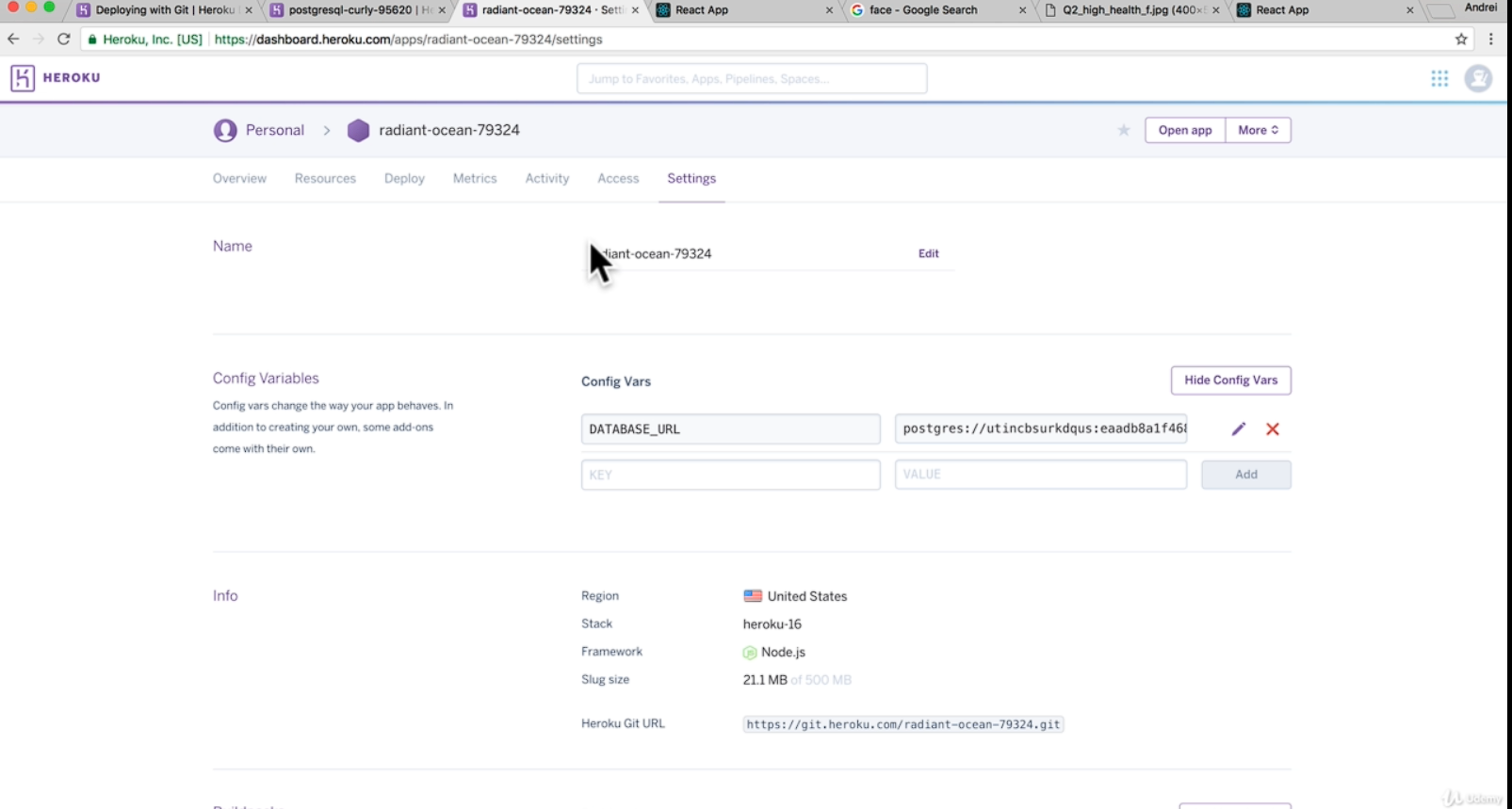
This database_url is to be uploaded in heroku config file section under settings when navigated to the particular app.Refer to the image:
This database_url can be accessed by using the heroku command:

heroku pg:info
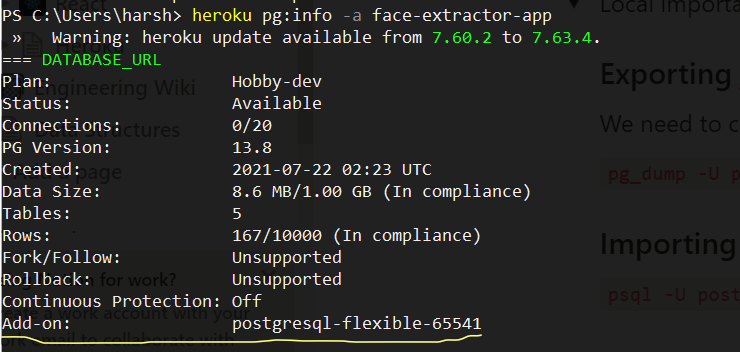
This add-on property contains databse url.
Accessing database through command prompt:
heroku pg:psql -a face-extractor-app