
4.7 KiB
4.7 KiB
Practical 1
Setting up environment
- We need to connect our machine to etherium network.
- To able to do transaction to etherium network we need to pay fees called gas which is distributed to miners
- As buying ether is so expensive we can connect to test network instead of main network for learning purpose.
- So to turn our browser into node for the test network use the metamask extenstion
- get free ethers for sepolia network from these faucets https://faucetlink.to/sepolia
- to use polygon amoy test network use this to add in metamask config
https://support.polygon.technology/support/solutions/articles/82000907114-how-to-add-amoy-network-in-your-wallet-
faucet for polygon amoy : https://faucet.polygon.technology/Network Name: POLYGON AMOY TESTNET New RPC URL: https://rpc-amoy.polygon.technology/ Chain ID: 80002 Currency Symbol: MATIC Block Explorer URL: https://www.oklink.com/amoy - to buy real one https://medium.com/prepo/setting-up-metamask-and-getting-eth-matic-on-polygon-step-by-step-guide-fd55147a0f05
Coding
- Use remix.etherium.org IDE
Create a file named
Bank.sol
// SPDX-License-Identifier: MIT
pragma solidity 0.8.25;

contract Bank {
    int bal;

    constructor() public  {
        bal = 1;
    }

    function getBalance() view public returns(int) {
        return  bal;
    }

    function withdraw(int amt) public {
        bal = bal - amt;
    }

    function deposit(int amt) public  {
        bal = bal + amt;
    }
}
- This Bank.sol should be under contracts folder. This file is to be compiled
- Also the file named
deploy_with_web3.tsshould be in scripts folder which will deploy it// This script can be used to deploy the "Storage" contract using Web3 library. // Please make sure to compile "./contracts/1_Storage.sol" file before running this script. // And use Right click -> "Run" from context menu of the file to run the script. Shortcut: Ctrl+Shift+S import { deploy } from './web3-lib' (async () => { try { const result = await deploy('Bank', []) console.log(`address: ${result.address}`) } catch (e) { console.log(e.message) } })() - Now run it like this
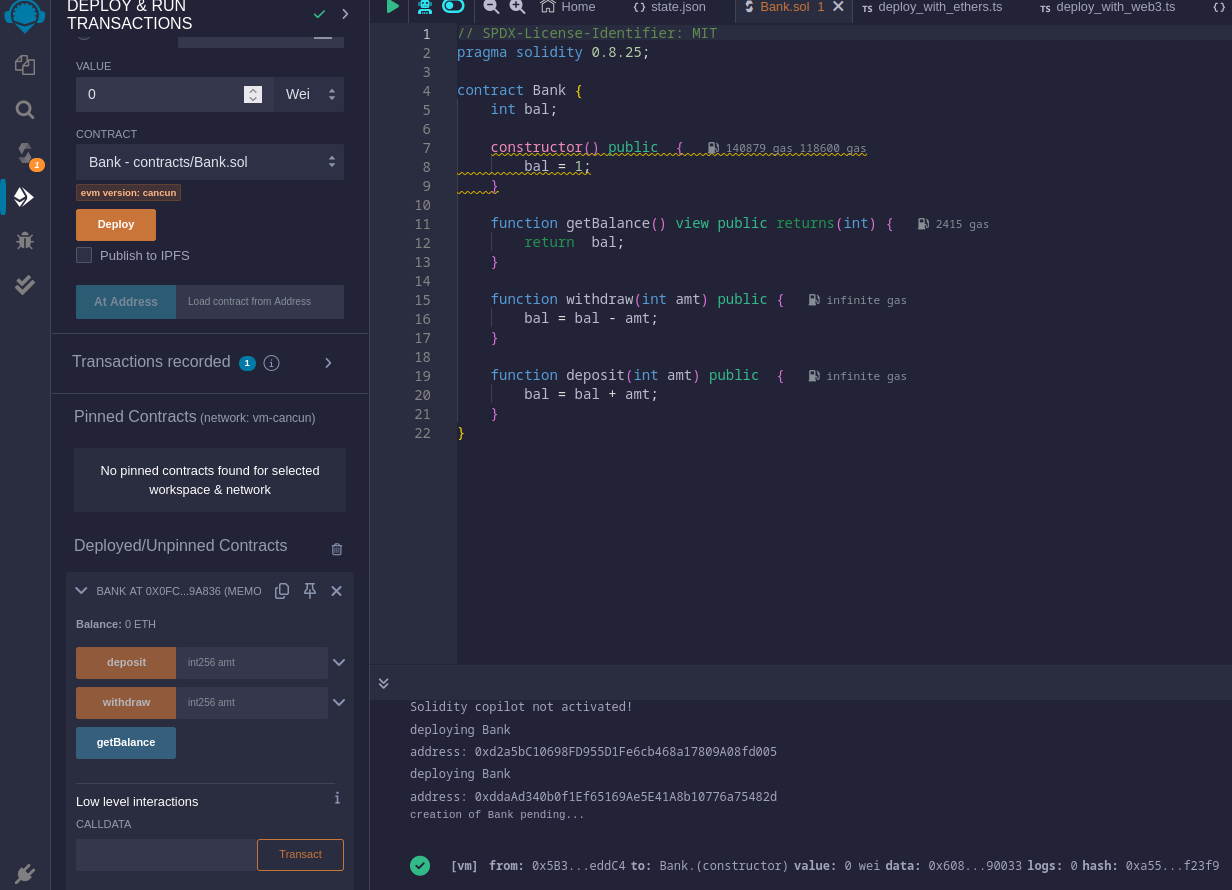
- switch to injected metamask instead of remix vm to deploy transaction on our network
Front end
Instead of running it and using it inside remix lets create a separate front end
- Two things are required ie ABI from compiler section and Address of Bank(not ours) from 'Deploy and run transaction' section.
- Now create html file and type
<!DOCTYPE html>
<html lang="en">
<head>
	<meta charset="UTF-8">
	<meta name="viewport" content="width=device-width, initial-scale=1.0">
	<title>Document</title>
</head>
<body>
	<div class="">
		<input type="text" id="amount">
		<p id="balance"></p>
		<button id="deposit">Deposit</button>
		<button id="withdraw">Withdraw</button>
	</div>

	<script src="https://cdn.jsdelivr.net/gh/ethereum/web3.js@1.0.0-beta.34/dist/web3.min.js"></script>


	<script>
		let contract;


			web3= new Web3(web3.currentProvider);
			// web3= new Web3(ethereum);

			// initialize ABI and address first

			// Contract method will accept 2 parameters ie ABI and contract
			contract = new web3.eth.Contract(ABI,address);

			// as getBalance is a function so we need to call it and use the call method for that which will return the promise
			contract.methods.getBalance().call().then( (bal)=>{
				console.log('balance')
				document.querySelector("#balance").innerHTML= bal;
			} )

		depositBtn.addEventListener('click',async()=>{
			let amt=0;
			amt = parseInt(inputEle.value);

			await window.ethereum.enable();
			// this will return all the promise of  accounts of metamask
			web3.eth.getAccounts().then( accounts=>{

				console.log('accounts: ',accounts)
				// taking first account
				const acc = accounts[0];

				// instead of using call method send method is used
				return contract.methods.deposit(amt).send({from : acc});
			} )
			.then(data=>{
				console.log('data: ',data)
			})
			.catch(err=>{
				console.log('err: ',err)
			})
		})

		withdrawBtn.addEventListener('click',async()=>{
			let amt=0;
			amt = parseInt(inputEle.value);

			await window.ethereum.enable();
			// this will return all the promise of  accounts of metamask
			web3.eth.getAccounts().then( accounts=>{

				console.log('accounts: ',accounts)
				// taking first account
				const acc = accounts[0];

				// instead of using call method send method is used
				return contract.methods.withdraw(amt).send({from : acc});
			} )
			.then(data=>{
				console.log('data: ',data)
			})
			.catch(err=>{
				console.log('err: ',err)
			})
		})


	</script>

</body>
</html>