
1.9 KiB
Basics
-
To get a list of installed packages
pacman -Qqefor all gtk packagespacman -Qs gtkfor gtk versionpacman -Q gtk -
To get list of package information including all dependencies it needs
pacman -Si nodejs -
downloading build files ie tar.zst you go to https://archlinux.org/packages/ find the package you want in the top-right corner of the package's page, you click the download from mirror button, you do that for every package you want
-
to get info of package
pamac info <pkg_name>oryay -Si <pkg_name> -
to search repos and aur with keyword
yay -Ss strawhere straw is keyword -
to not reinstall package use
yay -S --needed strawberry -
to get users and group list https://devconnected.com/how-to-list-users-and-groups-on-linux/
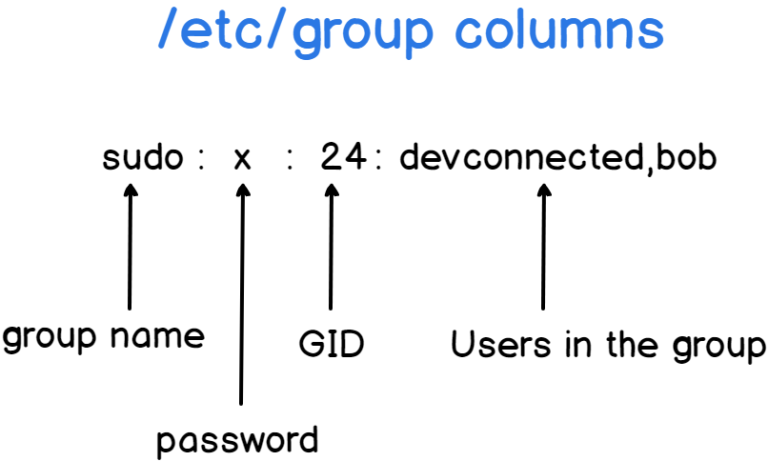
cat /etc/passwd | cut -d: -f1cat /etc/passwd | awk -F: '{print $1}'For connected users:whoorusersfor less details For groupscat /etc/groupAbout its output first col is group name sec col : password 3rd: group id 4th: users in the group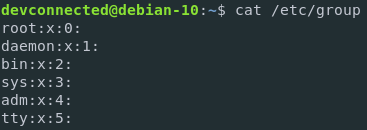
-
To complete remove packages
pacman -Rns package_nameThe -Rns flags tell pacman to remove the packages, their configuration files (n), and their unneeded dependencies (s). -
Removing orphan package completely First, you need to identify the orphaned packages. This can be done using the pacman package manager with the following command:
pacman -Qdt
To remove these orphaned packages, you can use the same pacman command with the remove (-R) option:
pacman -Rns $(pacman -Qdtq)
- When installing packages from pacman and we dont want any prompt and want the feafult in
[y/n]then use the flag--noconfirmpacman -s firefox --noconfirm